Noise Tuning and Silencing
Mute a noisy source
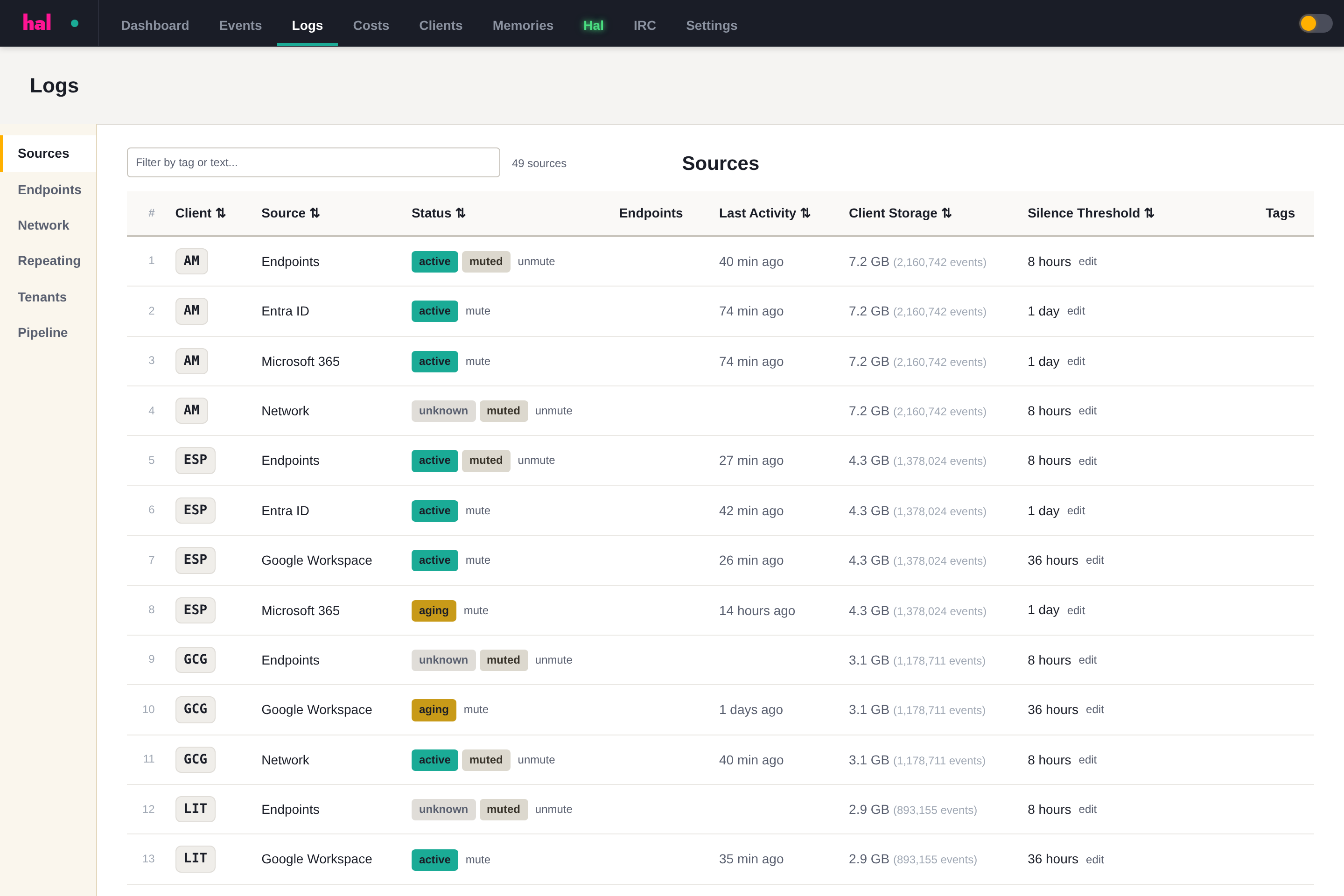
If a source is noisy or under maintenance, an admin can mute it from the Sources page in the portal. Muting suppresses that source’s alerts — its logs keep flowing in and stay searchable, so you don’t lose any history while it’s quiet. To stop ingestion entirely, ask the Hal team to disable the stream.
Tell Hal what’s normal
The most direct way to cut noise for a client is a note. You or your team can add short notes on a client — from the portal, or just by telling Hal in chat — describing what’s expected: a scanner that signs in nightly, an executive who travels to the EU, a service account on a fixed IP. Hal reads a client’s notes before he escalates, so a pattern you’ve marked as normal stops surfacing as an alert.
Let Hal do the whitelisting
You don’t have to work out which patterns deserve a note — noticing them is part of Hal’s job.
Every day, Hal reviews his own recent conclusions and picks out the patterns that keep resolving benign with the same explanation: an Azure AD Connect server tripping the same detections every night, a well-known vendor app re-investigated for every user who consents to it. For each one he drafts a proposal — at most five a day — stating the environment fact that explains the pattern and exactly how narrowly the whitelist entry would apply. Proposals wait for you on the portal’s Health page and in chat.
Nothing changes until you sign off. You accept or decline each proposal in chat. Accepting records who approved it; declining is remembered, so the same pattern is never proposed again. Only patterns with a history of benign resolutions are eligible in the first place — high-severity findings are never candidates. And when something keeps recurring without a verified benign explanation, Hal raises it as an advisory to discuss, not as a whitelist entry.
You can also start the same review yourself. Ask in chat — “what keeps generating noise for this client?”, “help me get my AI cost down” — and Hal goes through the history, drafts the notes, and waits for your confirmation, exactly as above.
Whitelist entries state facts; they don’t mute alerts. A note records what’s true — the named host, service account, IP range, or app, and what it’s expected to do — never “ignore these alerts for this client.” Every new occurrence is still judged against the facts: the sync server’s nightly logons stop surfacing, but the same activity from a different host or an unexpected IP still escalates. An approved app exemption works the same way — it’s bound to the exact app and the scopes you approved, so the same app suddenly asking for more still escalates. New entries take effect on the next triage pass — Hal watches every client every few minutes — and the recurring pattern stops costing you attention, and investigation spend, every day.
Repeats fold into the report
When a detection has already been escalated and delivered as a report, repeats of the same pattern fold into that report for a window instead of firing fresh alerts. You can see what’s currently folding — the client, the pattern, the founding report, and when the window expires — on the portal’s pipeline page.
How the built-in filter is tuned
Ahead of all that, the first stage of triage is a blacklist that drops known-safe, high-volume events before they cost anything. That blacklist is maintained for you — if a benign pattern keeps surfacing across clients, ask Hal or reach out and it gets tuned. You never have to write or maintain detection rules yourself.